Light & Exposure
Backlighting and Silhouettes for Beginners
Learn backlight photography from scratch: how to expose for silhouettes, position your subject, and get clean edges every time.
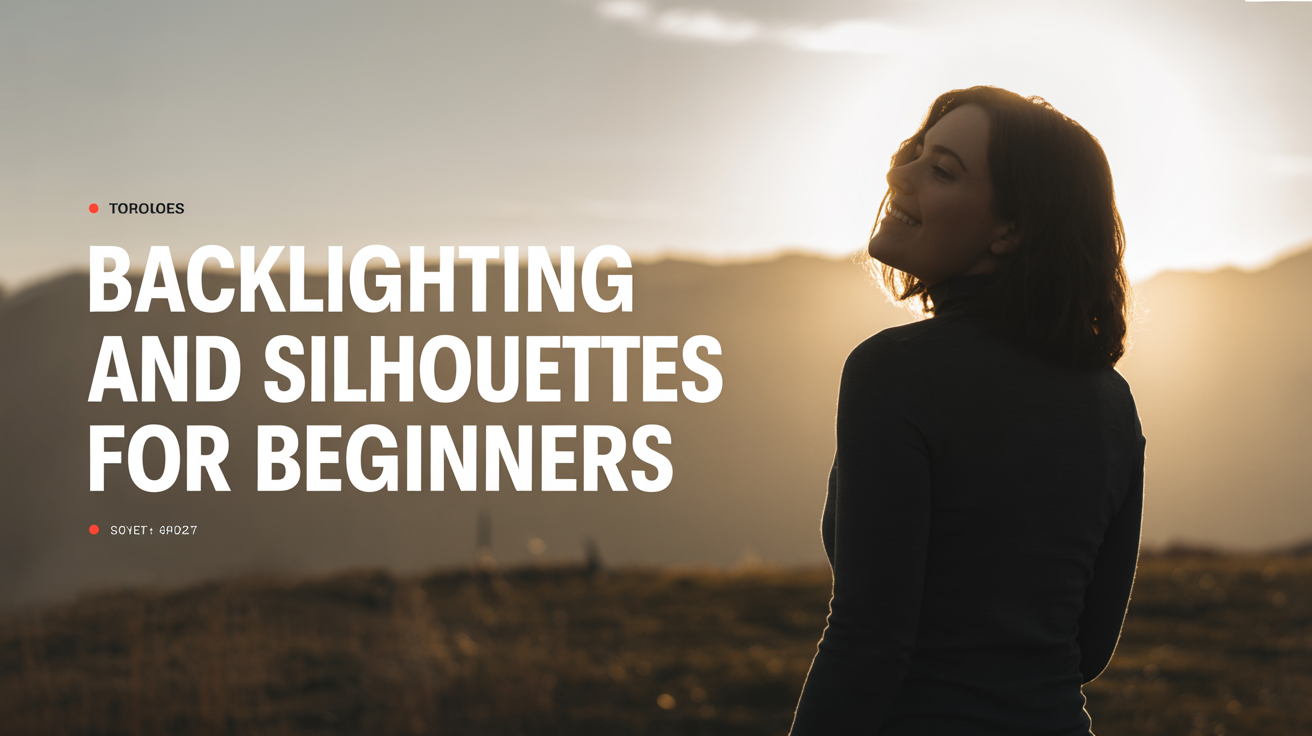
Backlighting means the main light source is behind your subject, pointing toward your camera. Done right, it produces one of the most striking effects in photography: a sharp, dark shape cut out against a bright sky. Done wrong, you get a muddy, underexposed blob. This guide walks you through the whole process, from finding the right light to dialing in settings that actually work.
What Backlighting Does to Your Camera
Your camera meters light by averaging what it sees across the whole frame. In a backlit scene, that bright background tips the average way up, so the camera exposes for the sky and leaves your subject very dark. That is not a mistake you need to fix. For a silhouette, it is exactly what you want. The trick is understanding when to let the camera underexpose the subject, and when to push back against it.
Backlight also creates other effects worth knowing about:
- Rim light (or hair light): A thin glow outlining the edges of your subject. Common in portraits, flattering in the right amounts.
- Lens flare: Light scattering inside the lens, producing streaks or orbs. Some photographers avoid it; others frame for it deliberately.
- Haze and mood: Shooting into sunlight through fog, dust, or smoke makes the atmosphere itself visible.
Each of these is a separate creative choice. This guide focuses mostly on silhouettes, because that is where beginners get the most dramatic results quickly.
When and Where to Find Good Backlight
You need a bright light source behind your subject and a darker foreground. A few reliable setups:
Sunrise and sunset: The sun is low and directional, which makes positioning easy. The sky turns orange, pink, and red, giving the background color even when the subject goes black. This is the most popular time for silhouette work. For more on making the most of this window, see What Is the Golden Hour and How to Shoot It.
Open doorways and windows: Step inside a dark room and frame your subject in a bright doorway or window. The contrast is extreme and the light is easy to control.
Harsh midday sun: Less romantic, but workable if you put the sun directly behind a tall subject. The overhead angle means you need the subject elevated or you need to shoot upward. See How to Take Photos in Harsh Midday Sun for strategies.
Streetlights and artificial sources at night: The same principle applies after dark. A lit sign, a street lamp, or a bright window can all serve as a backlight.
How to Shoot Silhouettes: Settings and Steps
Silhouette photography is more straightforward than most beginners expect. The exposure is the whole game.
Step 1: Switch to a semi-manual mode
Use Aperture Priority (Av or A) or Shutter Priority (Tv or S) rather than full Auto. Full Auto will try to fire the flash or bump the ISO to "help" your subject, which destroys the silhouette. You want to keep the subject dark on purpose.
Step 2: Meter off the bright background
Point your camera at the sky or bright area behind your subject. Half-press the shutter to lock that exposure reading, then reframe to include your subject and shoot. On most cameras you can also use spot metering and aim the spot at the bright part of the background.
Step 3: Dial in your starting settings
These are starting points, not rules. Adjust based on what the scene actually looks like on your screen.
| Setting | Starting Point |
|---|---|
| Mode | Aperture Priority or Manual |
| Aperture | f/8 to f/11 (keeps sky sharp, controls flare) |
| ISO | 100 to 200 (lowest native ISO for clean sky) |
| Shutter Speed | Let camera choose in Av, or 1/500s+ in manual |
| Metering | Evaluative/Matrix, or Spot on the sky |
| Focus Mode | Single-shot AF (AF-S or One-Shot) |
| Focus Target | Edge of subject, not center mass |
Step 4: Underexpose deliberately
If the subject still looks gray rather than black, apply exposure compensation (the +/- button) at -1 to -2 stops. This tells the camera to expose darker than it wants to. Check the histogram: you want the right side (highlights) not blown out, and the left side (shadows) fully buried. A reading like that is normal and correct for a silhouette. For more on reading that graph, see How to Read a Histogram in Photography.
Step 5: Choose a subject with a strong outline
This is as important as any camera setting. Silhouettes work when the shape is instantly readable. Good subjects: a single person with arms away from their body, a bare tree, a bird in flight, a bicycle. Poor subjects: a crowd of people overlapping each other, anything blobby or formless. The simpler the outline, the stronger the image.
Step 6: Check your edges and reshoot
Zoom in on the back of your camera and look at the edges of your subject. A clean, sharp boundary between the dark shape and the bright background is what you are after. If the edges are blurry, focus more carefully on the subject's outline rather than its center. If the subject and background are blending together in tone, move to a brighter patch of sky or add more negative exposure compensation.
Controlling Lens Flare
Shooting into a light source means some light will bounce inside your lens and scatter across the image. A few stops of flare can look cinematic. Too much will wash out the entire image.
To reduce flare: use a lens hood, position the sun just outside the frame rather than dead center, and avoid cheap filters on your lens.
To get creative flare: remove the lens hood, partially block the sun with the edge of your subject, and shoot at a mid-range aperture like f/8. At very small apertures (f/16 or f/22), the sun will render as a starburst shape.
Common Backlighting Mistakes
Using flash: The camera's built-in flash will try to fill in the subject, eliminating the silhouette entirely. Turn it off.
Subject in the center of the frame: Centered silhouettes tend to look static. Try placing the person or object on one side of the frame, with sky taking up more space on the other.
Choosing a cluttered background: If the sky behind your subject has poles, branches, or other shapes breaking into it, the silhouette loses its impact. Move the subject or change your angle until the background is clean.
Shooting in JPEG only when the exposure is uncertain: Shoot RAW if your camera supports it. A silhouette that came out slightly too bright can be pulled down in editing; one that is already perfect can stay as-is. RAW gives you more room to fix the background exposure without destroying the shadow areas.
Frequently Asked Questions
Do I need a special lens for backlighting? No. Any kit lens works for backlight photography. More expensive glass may produce cleaner flare and slightly sharper edges at wide apertures, but the technique is the same on any lens. Start with what you have.
How do I get a sharp silhouette when the subject is moving? Use a fast shutter speed (1/500s or faster for a person walking, 1/1000s for running or jumping) and keep your autofocus set to single-shot mode. Lock focus just before the shot. Continuous AF can hunt and lose the subject when it crosses a bright background.
The sky looks great but the ground is completely black. Is that a problem? In a true silhouette, yes. In other backlit shots, like portraits with rim light, you might want some detail in the foreground shadows. In that case, use a reflector, a wall, or any light-colored surface in front of your subject to bounce some of the backlight back onto their face. That is called fill light, and it lets you keep a bright sky without losing all shadow detail.
Can I shoot silhouettes on a cloudy day? You can, but the results are usually flatter. Clouds diffuse the light in all directions, which lowers the contrast between subject and sky. Backlighting works best when the light source is directional and bright. An overcast sky produces soft, even light, which is better for portraits than for silhouettes.
My silhouette comes out dark gray instead of black. How do I fix it? Apply more negative exposure compensation (-2 or even -3 stops) until the shadowed areas clip to pure black. Also check that your subject is not in front of a mid-tone background rather than a bright one. A gray wall behind a person gives you less contrast than an open sky.